Breadcrumbs Navigation
Hierarchical breadcrumb navigation with Schema.org structured data for SEO and user orientation.
Table of Contents
Breadcrumbs Navigation
Hierarchical breadcrumb navigation showing the current page’s location within the site structure.
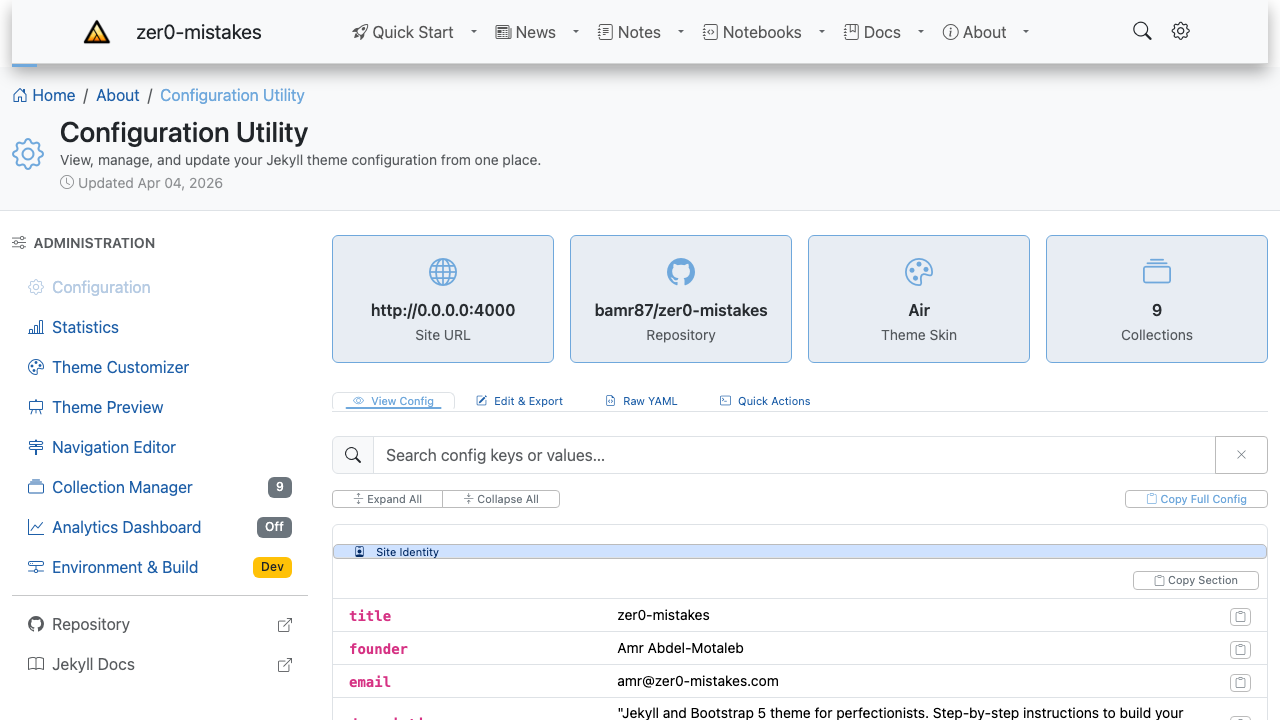
The breadcrumb trail (e.g. Home / About / Configuration Utility) sits just above the page title, derived from the page’s URL and collection so visitors always know where they are.
Overview
- Path Display: Shows navigation path
- Schema.org Markup: SEO-optimized structured data
- Collection-Aware: Handles Jekyll collections
- Configurable: Enable/disable via config
Quick Start
Enable Breadcrumbs
In _config.yml:
breadcrumbs: true
Include Template
{% include navigation/breadcrumbs.html %}
Implementation
HTML Structure
<nav class="breadcrumbs" aria-label="Breadcrumb">
  <ol itemscope itemtype="https://schema.org/BreadcrumbList">
    <li itemprop="itemListElement" itemscope itemtype="https://schema.org/ListItem">
      <a itemprop="item" href="/">
        <span itemprop="name">Home</span>
      </a>
      <meta itemprop="position" content="1">
    </li>
    <li itemprop="itemListElement" itemscope itemtype="https://schema.org/ListItem">
      <a itemprop="item" href="/docs/">
        <span itemprop="name">Docs</span>
      </a>
      <meta itemprop="position" content="2">
    </li>
    <li itemprop="itemListElement" itemscope itemtype="https://schema.org/ListItem">
      <span itemprop="name">Current Page</span>
      <meta itemprop="position" content="3">
    </li>
  </ol>
</nav>
Liquid Template
{% if page.url != "/" and site.breadcrumbs %}
<nav class="breadcrumbs" aria-label="Breadcrumb">
  <ol itemscope itemtype="https://schema.org/BreadcrumbList">
    <li itemprop="itemListElement" itemscope itemtype="https://schema.org/ListItem">
      <a itemprop="item" href="{{ '/' | relative_url }}">
        <i class="bi bi-house"></i>
        <span itemprop="name">Home</span>
      </a>
      <meta itemprop="position" content="1">
    </li>

    {% assign crumbs = page.url | remove: '/index.html' | split: '/' %}
    {% assign position = 2 %}

    {% for crumb in crumbs offset: 1 %}
      {% if forloop.last %}
        <li itemprop="itemListElement" itemscope itemtype="https://schema.org/ListItem">
          <span itemprop="name">{{ page.title }}</span>
          <meta itemprop="position" content="{{ position }}">
        </li>
      {% else %}
        <li itemprop="itemListElement" itemscope itemtype="https://schema.org/ListItem">
          <a itemprop="item" href="{{ '/' | append: crumb | append: '/' | relative_url }}">
            <span itemprop="name">{{ crumb | capitalize }}</span>
          </a>
          <meta itemprop="position" content="{{ position }}">
        </li>
        {% assign position = position | plus: 1 %}
      {% endif %}
    {% endfor %}
  </ol>
</nav>
{% endif %}
Styling
Basic Styles
.breadcrumbs {
  padding: 0.75rem 0;
  font-size: 0.875rem;
}

.breadcrumbs ol {
  list-style: none;
  padding: 0;
  margin: 0;
  display: flex;
  flex-wrap: wrap;
  align-items: center;
  gap: 0.5rem;
}

.breadcrumbs li {
  display: flex;
  align-items: center;
}

.breadcrumbs li:not(:last-child)::after {
  content: '/';
  margin-left: 0.5rem;
  color: var(--bs-secondary);
}

.breadcrumbs a {
  color: var(--bs-primary);
  text-decoration: none;
}

.breadcrumbs a:hover {
  text-decoration: underline;
}

.breadcrumbs li:last-child {
  color: var(--bs-secondary);
}
With Icons
.breadcrumbs i {
  margin-right: 0.25rem;
}
Schema.org SEO
Structured Data
The breadcrumbs include Schema.org BreadcrumbList markup for search engines:
{
  "@context": "https://schema.org",
  "@type": "BreadcrumbList",
  "itemListElement": [
    {
      "@type": "ListItem",
      "position": 1,
      "name": "Home",
      "item": "https://example.com/"
    },
    {
      "@type": "ListItem",
      "position": 2,
      "name": "Docs",
      "item": "https://example.com/docs/"
    }
  ]
}
Google Search Console
This markup enables breadcrumb display in Google search results.
Collection Handling
Posts Collection
{% if section == 'posts' %}
  / <a href="{{ '/posts/' | relative_url }}">Posts</a>
  / {{ page.title }}
{% endif %}
Docs Collection
{% elsif section == 'docs' %}
  / <a href="{{ '/docs/' | relative_url }}">Docs</a>
  / {{ page.title }}
{% endif %}
Configuration
Disable on Specific Pages
---
breadcrumbs: false
---
Custom Separator
.breadcrumbs li:not(:last-child)::after {
  content: '›';  /* or '>' or '»' */
}
Home Icon
<a href="/">
  <i class="bi bi-house-fill"></i>
  <span class="visually-hidden">Home</span>
</a>
Accessibility
ARIA Attributes
<nav aria-label="Breadcrumb">
  <ol role="list">
    <li><a aria-current="page">Current</a></li>
  </ol>
</nav>
Screen Reader Text
<span class="visually-hidden">You are here:</span>
Troubleshooting
Wrong Path
- Check URL structure matches crumbs logic
- Verify collection paths
- Test with different page types
Schema Validation
Test structured data at:
Styling Issues
- Check flexbox support
- Verify separator positioning
- Test responsive wrapping
Related
See also
- [[Features]]
- [[Sidebar Navigation System]]
- [[Keyboard Navigation]]